
Tide Logo Tide
Product Features

Four screens. One living phone.

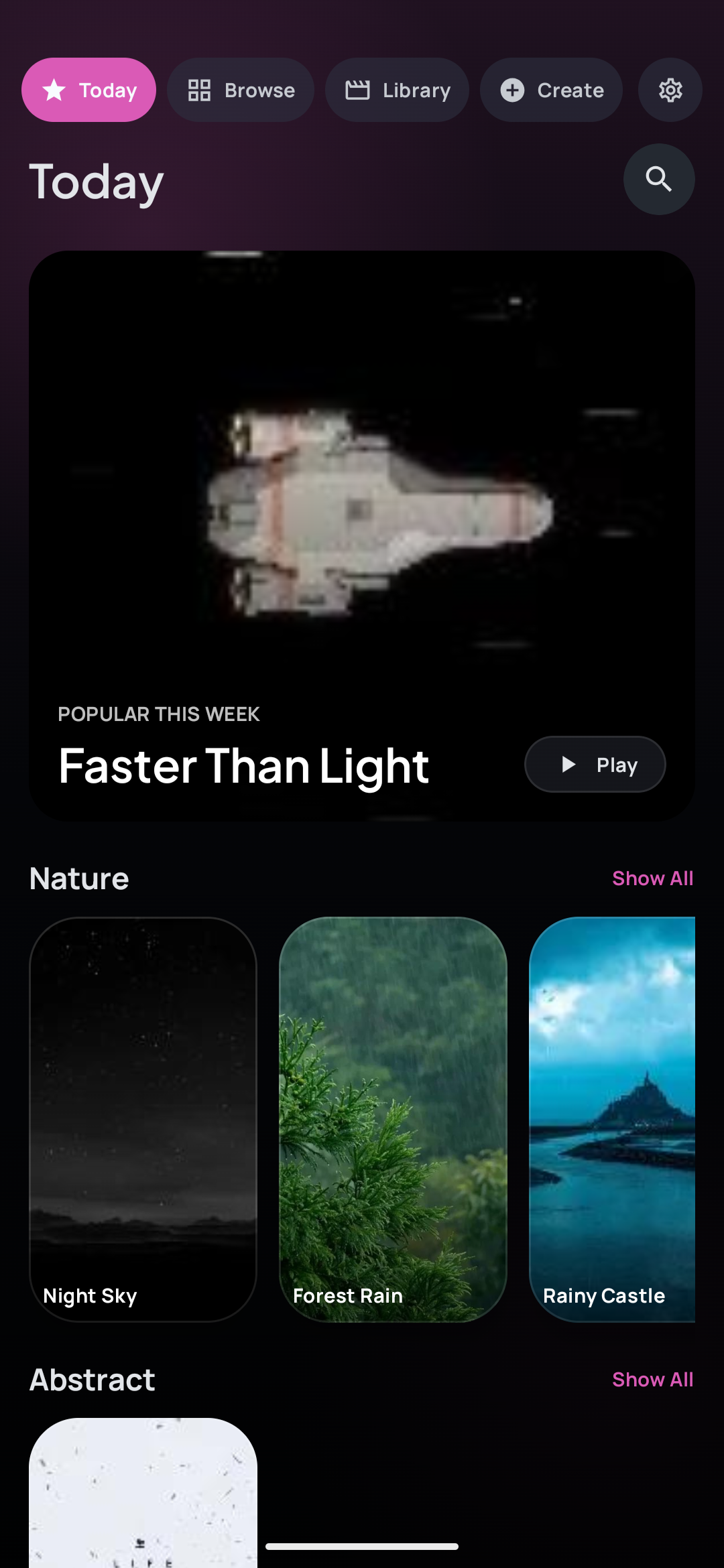
Today Feed

A home feed that finds your vibe

Editorial curation surfaces the wallpapers you’ll actually want — cozy, cinematic, or chaotic, updated weekly.

  • Curated rows by mood and style
  • One-tap preview and play
  • New picks every week
Today Feed Screen
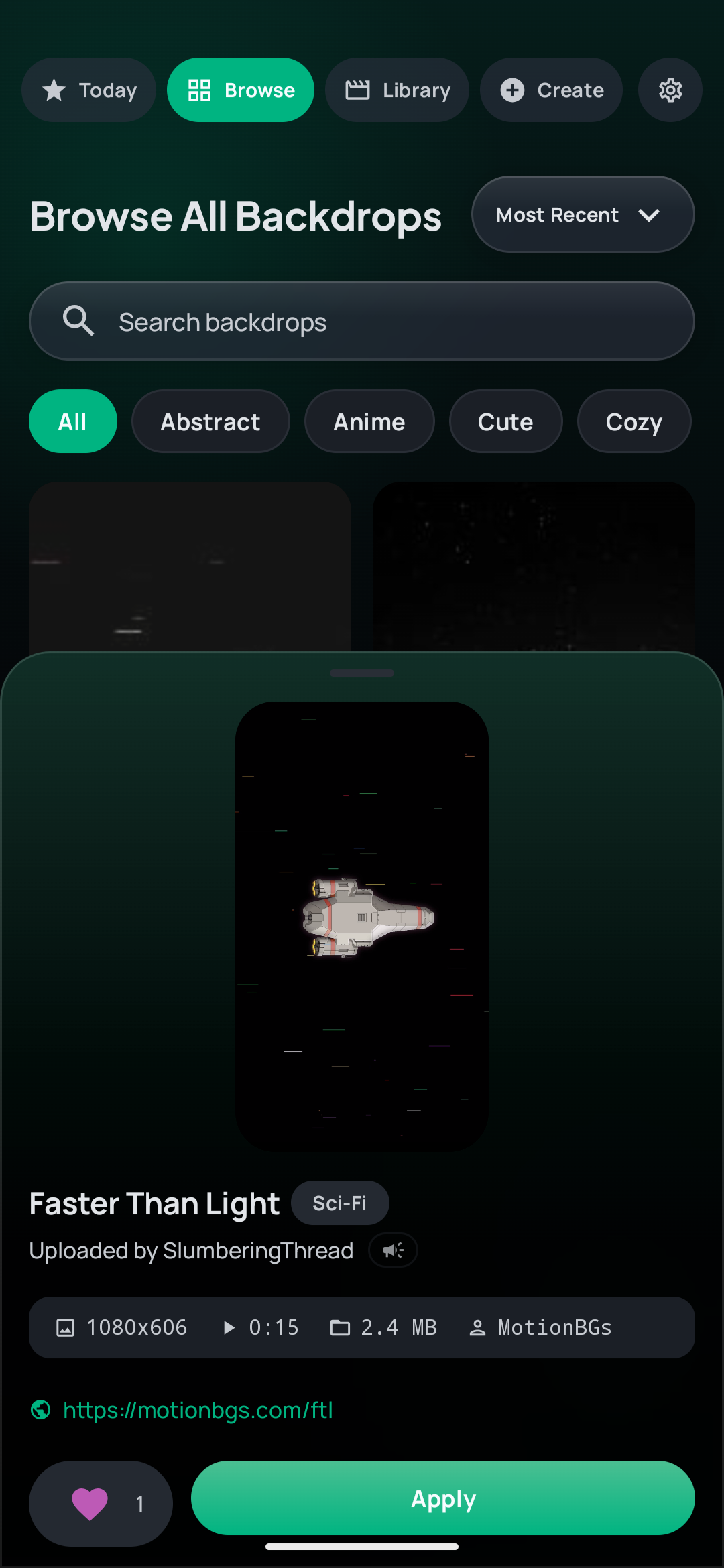
Browse Screen

Search the entire library

Filter thousands of community-made Backdrops by style, and find exactly the one that fits your phone.

  • Style filters: Abstract, Anime, Nature, and more
  • Fast, full-catalog search
  • No account required to browse
Browse Screen
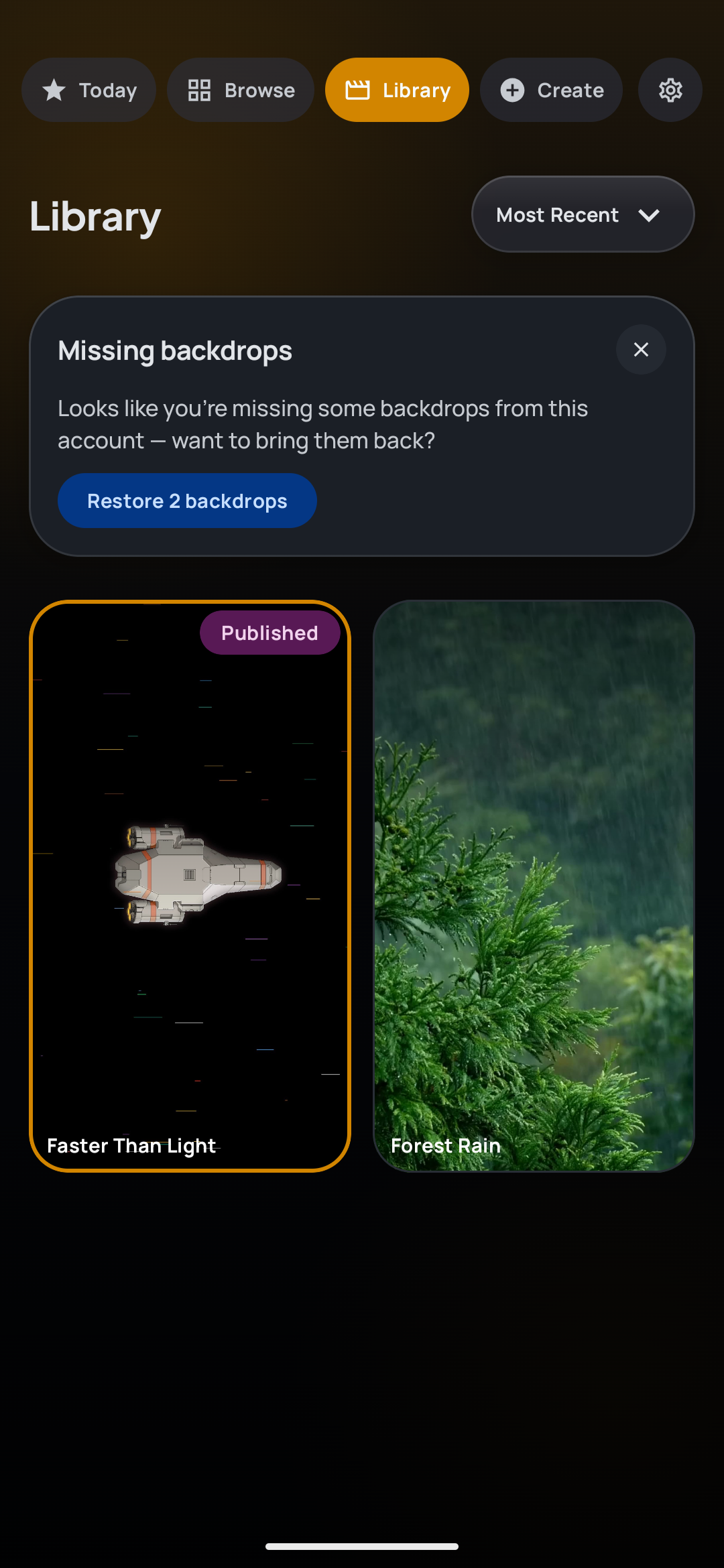
Library Screen

Everything you’ve saved, in one place

Your downloaded and created Backdrops, ready to set as your Home or Lock Screen in a tap.

  • Lock Screen support built in
  • One-tap Set as Wallpaper
  • Offline playback for saved clips
Library Screen
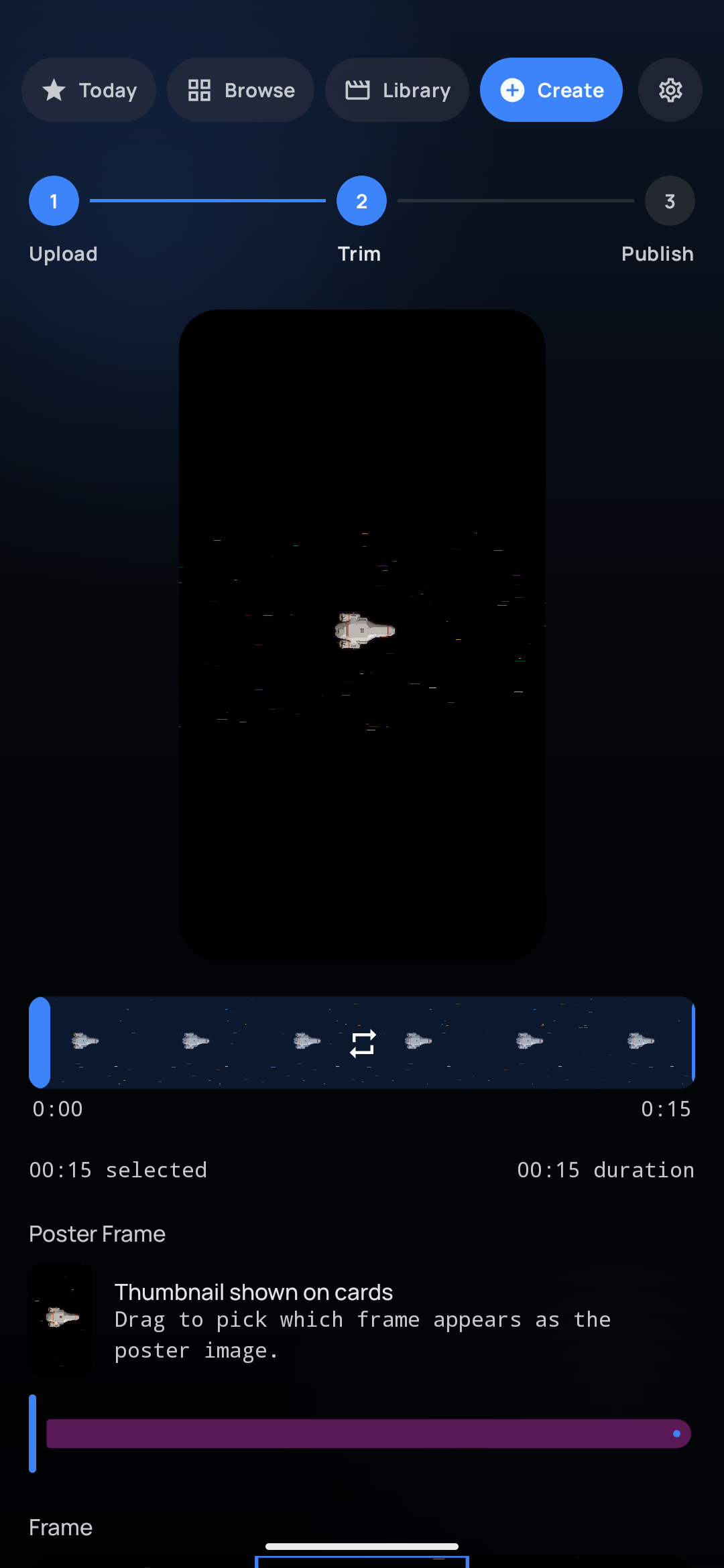
Create Screen

Turn any video into a Backdrop

Drop in a clip, trim it to the perfect loop, and publish it for the world — or keep it just for you.

  • Frame-accurate trim with live preview
  • Tag and title before you publish
  • Private or public, your call
Create Screen
Beyond Video

Two kinds of Backdrop that aren’t clips at all

Live Backdrops

Wallpapers with no video file at all

Dozens of Backdrops aren’t clips — they’re drawn on your phone, frame by frame, from a few hundred bytes of recipe. Nothing to stream, nothing to store, and they never compress into blocky gradients the way a video does.

  • Rendered on the GPU as an AGSL shader on Android 13+, with a CPU path below it
  • Effectively zero download — no video, no poster, no cache
  • New scenes and retuned looks arrive without an app update
  • A handful are already in your Library on first launch

The phone here is drawing one right now — it’s the same recipe your device would use. See the whole set →

3D Photos

Give a still photo a camera move

Pick any photo and Tide works out how far away each pixel is, then drifts the scene as if the camera were moving through it. Not a cut-out sliding over a blurred copy — every depth travels at its own rate.

  • Depth estimated on your phone — the photo never leaves it
  • The subject is painted out of the background, so no ghost trails behind them
  • Baked once when you create it, so playback costs no more than any other Backdrop
  • Works without the depth model too, with a simpler two-layer effect

Full depth needs a one-time ~33MB download, offered from Create or Settings → Content. Skip it and 3D Photos still work.

Create Screen, where 3D Photos are made
Under the hood

The part you don't see doing the work

Nothing runs off-screen

One decision point governs the whole engine: visible and normal plays video; screen off, app switched, or wallpaper hidden releases the decoder entirely; Battery Saver or a hot phone drops to a single still frame. It can't accidentally keep two render paths alive at once.

Encoded on your phone

Your clip is transcoded on-device into two portrait variants before anything uploads — the raw video never sits on a server waiting to be processed. Faster to publish, and your source footage stays yours.

Reframe that actually sticks

Pan and zoom to frame your subject, and the live GL renderer honors that exact crop while the video loops — not just on the thumbnail. The battery-saver still frame uses the same framing, so it never jumps.

Material You theming

The applied Backdrop's palette feeds Android's system theming, so your accent colors follow whatever wallpaper you're running — recomputed only when the scene actually changes.

Matched to your display

Playback hints the display to lock onto the video's frame rate, so loops stay smooth on 60Hz and 120Hz panels alike instead of fighting the refresh curve.

1440p, with a fallback

Every Backdrop ships as 1440p H.265 with a 1080p H.264 companion, so it plays on the widest range of hardware decoders instead of stuttering on devices that can't handle a single heavy file.

Downloaded once, plays offline

Applied Backdrops cache to local storage and play with no network and no buffering. The cache is capped and evicts oldest-first, so a browsing spree never quietly fills your phone.

Points & badge tiers

Publishing approved Backdrops and applying others' earns points toward Bronze, Silver, Gold, and Diamond tiers — a real signal of the creators worth following.

Reviewed before it's public

Every published Backdrop is human-reviewed before it reaches Browse, and anyone can report content in a tap. Your account and data can be deleted in full, whenever you want.